Posts

Showing posts with the label Google Search Console

How to Remove Sitemap from Google Search Console Blogger WordPress Website

Image
How to Remove Sitemap from Google Search Console Blogger WordPress Website https://youtu.be/PLe_fAKjfCA

How to Remove website from Google Search Console Blogger WordPress Website Delete Site Property

Image
How to Remove website from Google Search Console Blogger WordPress Website Delete Site Property https://youtu.be/KFBqZed7Oc4

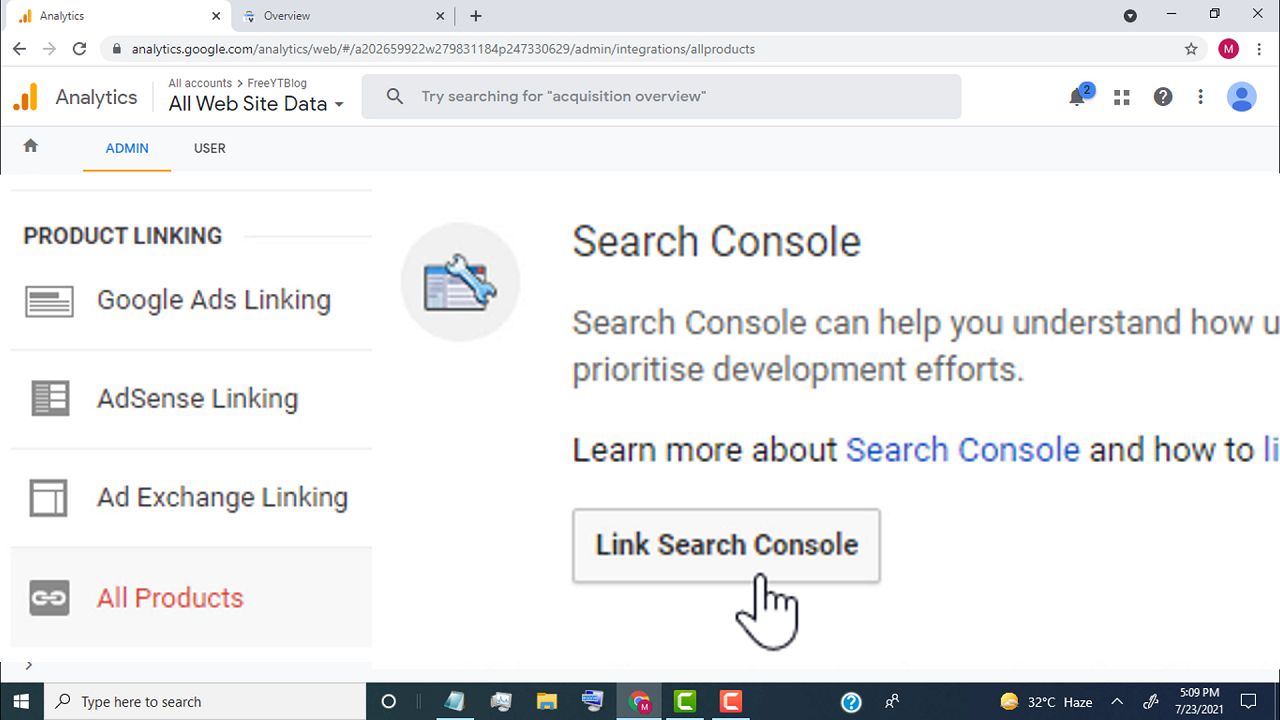
How to Link Google Analytics to Google Search Console | Connect Search Console to Analytics

Image
How to Link Google Analytics to Google Search Console | Connect Search Console to Analytics https://youtu.be/yoR2Mdn77GI ✅ Create Google Analytics Account https://youtu.be/7NHSz-6Q3xU ✅ Create Google Search Console Account https://youtu.be/HiNZf25Jrro ✅ Steps to Link Google Analytics to Google Search Console - make sure we created Google Search Console & Universal Analytics property for our website. - Now first, open google analytics - click here - and click on the account - click on Universal Analytics property for our website - click on all web site data - click on admin - go to the product linking section - click on all products - scroll down - go to the search console tab - click on the link search console - click on add - click on select property - Now select your website - click on continue - click on associate - now we successfully linked google search console to google analytics - now if you want to check search traffic in google analytics - sim...

How To Create Google Search Console Account for Your Website

Image
How To Create Google Search Console Account for Your Website ( Blogger + WordPress ) https://youtu.be/HiNZf25Jrro ✅ Steps to Create Google Search Console Account for Your Website ( Blogger + WordPress ) - First of all, search google search console - Open this link https://search.google.com - Click on Start now - now copy your website link url ( your website homepage ) - paste the link in URL Prefix on Google search console. - Click on Continue - now search console try to verify your ownership for the domain - once it verified, google search console create account for your website. ✅ How To Add Google Analytics to Blogger Blog ✅ How To Add Blogger To Google Search Console | Submit Your Blogger Blog to Google Search Console ✅ How to Add Meta Tags In Blogger | Meta Tags Blogger Home Page, Posts | Enable Search Description

Fixed Can't find Google Analytics property in Google Search Console

Image
Fixed Can't find Google Analytics property in Google Search Console https://youtu.be/73dBLZ46bHs ✅ Steps To Fixed Can't find Google Analytics property in Google Search Console - First we need to create Universal Analytics property on Google Analytics - login to google analytics account - select account - go to property tab & click on create property. - type name of your website. - select reporting time zone. - select currency. - click on show advanced options. - turn on Create a Universal Analytics property. - now type your website link. - now if you already created google analytics 4 property. - then select Create a Universal Analytics property only. - click on next. - Now select the category for your website. - select your business size. - select the options which you want to use in google analytics. - click on create. - Now we successfully created Universal Analytics property for our website. - now simply go back to google search console. - reloa...