Posts

Showing posts with the label Google Analytics

How to Create Universal Analytics Property in Google Analytics

Image
How to Create Universal Analytics Property in Google Analytics https://youtu.be/UMmwMUknZic ✅ Steps To Create Universal Analytics Property in Google Analytics - Open Google Analytics - Login to Your Account - Select Account for your website - click on create property. - type name of your website. - select reporting time zone. - select currency. - click on show advanced options. - turn on Create a Universal Analytics property. - now type your website link. - now if you already created google analytics 4 property. - then select Create a Universal Analytics property only. - click on next. - Now select the category for your website. - select your business size. - select the options which you want to use in google analytics. - click on create. - Now we successfully created Universal Analytics property for our website. ✅ How To Add Google Analytics to Blogger Blog ✅ How To Add Blogger To Google Search Console | Submit Your Blogger Blog to Google Search Console ✅ H...

How to Link Google AdSense with Google Analytics

Image
How to Link Google AdSense with Google Analytics https://youtu.be/OVCHWVH1Odo ✅ how to create Universal Analytics property ✅ Steps To Link Google AdSense with Google Analytics -first of all, make sure we created Universal Analytics property in Google Analytics. - Now, open google analytics. - click here, - click on Universal Analytics property for our website. - click on all web site data. - click on admin. - go to the product linking section. - now if you want to check your AdSense earning in google analytics. - then click on behavior. - click on publisher. - Now you can view your AdSense earning by website pages & referring domains. ✅ How To Add Google Analytics to Blogger Blog ✅ How To Add Blogger To Google Search Console | Submit Your Blogger Blog to Google Search Console ✅ How to Add Meta Tags In Blogger | Meta Tags Blogger Home Page, Posts | Enable Search Description

How to Link Google Analytics to Google Search Console | Connect Search Console to Analytics

Image
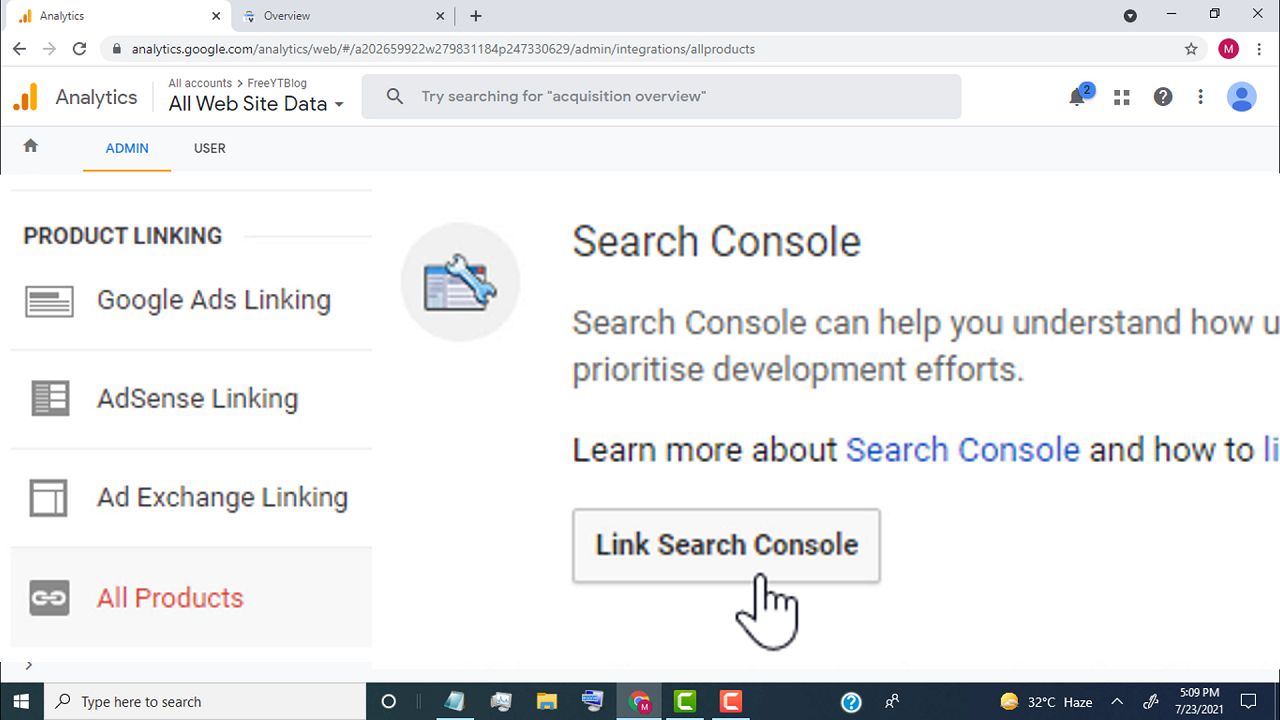
How to Link Google Analytics to Google Search Console | Connect Search Console to Analytics https://youtu.be/yoR2Mdn77GI ✅ Create Google Analytics Account https://youtu.be/7NHSz-6Q3xU ✅ Create Google Search Console Account https://youtu.be/HiNZf25Jrro ✅ Steps to Link Google Analytics to Google Search Console - make sure we created Google Search Console & Universal Analytics property for our website. - Now first, open google analytics - click here - and click on the account - click on Universal Analytics property for our website - click on all web site data - click on admin - go to the product linking section - click on all products - scroll down - go to the search console tab - click on the link search console - click on add - click on select property - Now select your website - click on continue - click on associate - now we successfully linked google search console to google analytics - now if you want to check search traffic in google analytics - sim...

How To Create Google Analytics Account for Your Website

Image
How To Create Google Analytics Account for Your Website ( Blogger + WordPress ) https://youtu.be/7NHSz-6Q3xU ✅ Steps to Create Google Analytics Account for Your Website ( Blogger + WordPress ) - First of all, search for google analytics - open this link https://analytics.google.com - click on start measuring. - now, first we need to set up account, - so type your website name here. - click on next. - now we need to set up a property for our website. - so type your website name in property name tab. - select reporting time zone. - select currency. - click on show advanced options. - turn on create a Universal Analytics property. - type your website link in website url box. - make sure you select create both google analytic 4 and a Universal Analytics property. - click on next. - now we need to provide our website information. - First select our website category. - select our business size. - select the options which you want to use in google analytics. - click on...

Fixed Can't find Google AdSense Linking option in Google Analytics

Image
Fixed Can't find Google AdSense Linking option in Google Analytics https://youtu.be/PYXkvTwAPc0 ✅ Steps Fixed Can't find Google AdSense Linking option in Google Analytics - First of all open your google analytics. - select your website from here. - Now go to the property section. - click on the create property. - type name of your website. - select reporting time zone. - select currency. - click on show advanced options. - turn on Create a Universal Analytics property. - now type your website link. - now if you already created google analytics 4 property. - then select Create a Universal Analytics property only. - click on next. - Now select the category for your website. - select your business size. - select the options which you want to use in google analytics. - click on create. - Now we successfully created Universal Analytics property for our website. - now go to product linking options. - click on AdSense linking. - select AdSense for content. - ...

Fixed Can't find Google Analytics property in Google Search Console

Image
Fixed Can't find Google Analytics property in Google Search Console https://youtu.be/73dBLZ46bHs ✅ Steps To Fixed Can't find Google Analytics property in Google Search Console - First we need to create Universal Analytics property on Google Analytics - login to google analytics account - select account - go to property tab & click on create property. - type name of your website. - select reporting time zone. - select currency. - click on show advanced options. - turn on Create a Universal Analytics property. - now type your website link. - now if you already created google analytics 4 property. - then select Create a Universal Analytics property only. - click on next. - Now select the category for your website. - select your business size. - select the options which you want to use in google analytics. - click on create. - Now we successfully created Universal Analytics property for our website. - now simply go back to google search console. - reloa...